


Calculator - photo vault
4.812.26K Reviews
App Specs
- Version
- 11.1.0
- Updated On
- License
- Free
- Downloads
- 10,000,000+
- Developer
- FishingNet
- Categories
- Video Players & Editors
- Platform
- Android, iOS
Screenshots

 Analysis by AppCompare
I see Calculator - photo vault as a privacy tool built around a very specific idea: make a private space less obvious by presenting a familiar calculator first. That approach can be useful if you want a separate place for personal media, but it also means the app is more than a disguise. You need to understand how its vault works, what happens when you change phones, and how much you trust any app that stores sensitive files. I’d treat it as a convenient layer of privacy, not a substitute for thinking carefully about backups and access to your device.
Where network access may shape the experience
A vault feels personal, so it’s natural to wonder whether using it depends on a network connection. I wouldn’t assume that every part of the experience behaves the same way: opening the calculator disguise, viewing items already in the vault, and restoring a backup are different tasks. The last one is the kind of workflow where connectivity may matter, while simply organizing files is a separate question. Before relying on the app for an important transfer, I’d check the backup and restore flow while I still have access to the original phone.
That distinction matters in ordinary life. If you’re traveling or working somewhere with unreliable reception, don’t make a last-minute move of private photos your only copy of them. Keep the original files until you have confirmed that the vault contains what you intended and that any backup you rely on can be restored. Privacy tools are most useful when they reduce casual exposure without creating a new risk of losing something you care about.
Choosing the right moments to use it
The disguised calculator is most helpful when someone might glance at your home screen or browse casually through your apps. It is less useful if your main concern is someone who already knows the app’s identity, can unlock your phone, or has time to inspect its contents. A disguise can discourage curiosity, but it is not the same as hiding the app from every form of scrutiny. I’d choose it for everyday separation and discretion, rather than treating the calculator appearance as a guarantee of secrecy.
A realistic example: you take a personal picture during a family gathering and don’t want it sitting among screenshots and routine camera shots. Saving it into a private vault can keep your regular gallery easier to share when a friend asks to see vacation photos. For that workflow, I’d check the item in the vault before removing or deleting any original from elsewhere. That small verification step is more useful than assuming a move or import went perfectly.
When another kind of privacy tool is a better fit
Compared with a standard gallery, a dedicated vault gives you a separate destination and the calculator disguise, which can make casual browsing less revealing. A phone’s built-in private folder may be a better choice if you want privacy features integrated with the device’s own file and account tools. A plain file manager may suit someone who wants direct control over folders without a disguised interface. The right option depends on whether you value a decoy appearance, built-in platform integration, or straightforward file handling most.
I would also avoid using a photo vault as the only home for files that are important for work, family records, or long-term memories. A hidden collection can be harder to find when you need it quickly, and a vault’s backup process may not match the familiar syncing habits you already use. Keep a separate, sensible backup for irreplaceable material, and avoid putting anything into the app until you understand how you can retrieve it later.
Worth Reading Before You Choose

EA SPORTS FC Mobile 26 Is a Bigger Football Game, but It Takes Time

Flipboard Shows What News Apps Must Do Beyond the Feed

Switching to Android Auto Means Rethinking Your Driving Routine

Google Calendar Makes a Crowded Week Easier to Manage

Ludo King Makes the Most of the Minutes Between Plans

Baby Panda World Brings Quick Play to Modern Phones, but Its Game Library Feels Busy
Practical checks before trusting a vault
My first recommendation is to test the entry method and recovery route with a harmless sample file. Confirm that you can leave the vault, return through the calculator, and locate the item again. If you plan to use a decoy password or another access method, learn exactly which screen and collection it opens before you need it under pressure. A privacy feature is only helpful if you can operate it reliably without risking the files you meant to protect.
It’s also worth deciding what belongs in the vault. Moving every image can make a private space cluttered and harder to manage; keeping only the items you genuinely want separated makes it easier to check what is stored there. If you share your phone with family or colleagues, remember that a discreet icon does not make the device itself private. A screen left unlocked can expose far more than the app’s disguise can conceal.
For someone comparing options, the most important question is not simply whether the app can hide media. It is whether the calculator-style access fits the way they use their phone, and whether they are comfortable managing a separate collection. If you want automatic, familiar syncing across devices, a platform’s own photo tools may be easier. If you mainly want a quick barrier against casual browsing, this format has a clearer purpose.
The developer is FishingNet, and the app sits in the video-player and editing space despite being used chiefly as a private media vault. It is free to install, with optional in-app purchases ranging from $0.99 to $14.99 per item. Its Everyone age rating makes it broadly accessible, though the privacy decisions involved are still personal. It has a 4.8 average from around 491,000 ratings, and has passed 10 million installs. Those figures suggest that the disguised-vault idea has found an audience, but I’d still judge it by whether its workflow fits your needs.
First Impressions: A Disguised Guardian
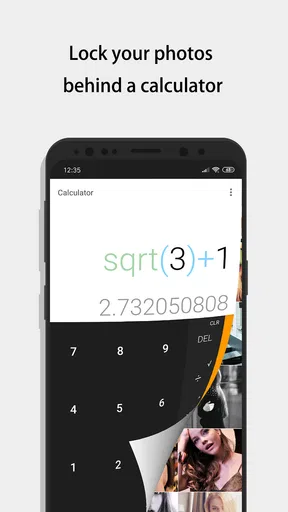
So, when I first downloaded the Calculator - photo vault, I was genuinely skeptical. I mean, a calculator that hides photos? Sounds like something straight out of a spy movie. The app opens up to a very normal, almost boring, calculator interface. But once you type in your secret pin, you enter a whole new world.
The transition from calculator to vault is seamless, and let me tell you, it feels like you’re entering a secret lair. This nifty feature makes it incredibly discreet, perfect for those who like to keep their personal photos away from prying eyes. The idea is simple yet genius: disguise your private photos under the facade of a mundane calculator.
Features: More Than Just a Vault
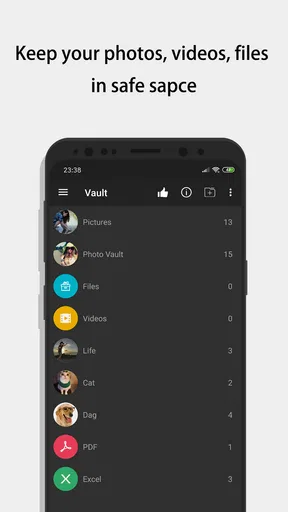
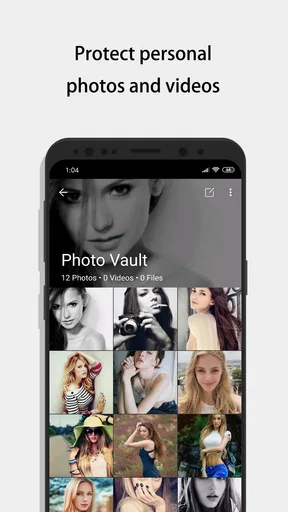
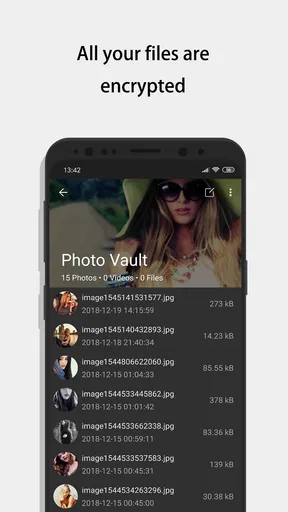
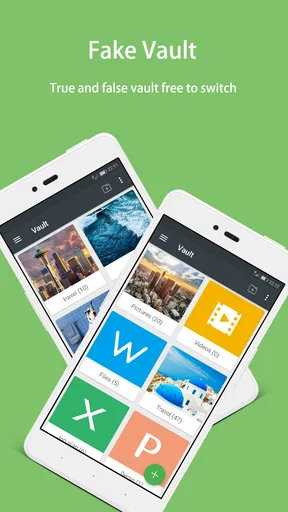
Beyond its stealthy design, the app is packed with features. You can store not just photos, but also videos and notes. The interface inside the vault is clean and intuitive, making it easy to organize your hidden treasures. You can create albums, add notes to photos, and even set up a fake password that leads to a decoy vault—just in case someone tries to snoop around.
Another cool feature is the built-in camera. You can take photos directly from the app, ensuring they’re saved straight to your vault without appearing in your regular gallery. This is a real game-changer for those spontaneous moments you want to keep private from the get-go.
Security: Keeping Your Secrets Safe
Security is obviously a top priority here. The app offers a range of authentication methods, from pin codes to fingerprint recognition, ensuring your data stays safe. And if you’re worried about losing your phone, the app provides a backup feature that saves your data in the cloud. You can restore everything easily, so your memories are never truly lost.
What I love is how the app doesn’t draw attention to itself. It’s not flashy or over-the-top, just a quiet guardian of your private moments. Plus, the fake password feature is a nice touch, giving you an added layer of security.
Usability: Easy Peasy
Using the app is straightforward. The calculator works perfectly for its intended purpose, so you’re never without a functioning calculator. The vault interface is user-friendly, and I didn’t have to spend ages figuring out how to navigate it. It’s all very intuitive, which is a big plus in my book. The learning curve is practically non-existent.
On top of that, the app doesn’t hog your phone’s resources. It runs smoothly without any noticeable impact on battery life or performance. In a world where apps can be notorious for draining your battery, this is a breath of fresh air.
Who I’d recommend it to
This is a better match for someone who wants a discreet place for selected photos, videos, and notes than for someone who wants to manage a whole photo library. The album organization and decoy-vault idea make sense when you want separation, not necessarily when you need a complete replacement for your gallery. If your goal is mainly to edit clips, sort a large camera roll, or move files between devices, a conventional media app or your phone’s built-in tools will likely feel more direct.
The app’s development and age also help frame expectations: it was released on January 5, 2019, and the current version is 11.0.0, with Android 6.0 as the minimum operating system. I’d check that your device meets that requirement before planning a move. A version number by itself doesn’t tell me how every phone will behave, so I’d still try the workflow on your own device with a nonessential file before trusting it with a collection you can’t easily replace.
Small trade-offs that matter day to day
The calculator disguise has a useful social advantage: someone glancing at your app grid is less likely to recognize a vault immediately. The trade-off is that you need to remember how to enter it, and you may have to explain why a calculator app is installed if someone looks more closely. If you often hand your phone to another person to calculate something, that ordinary use could draw attention to the app itself. I’d choose a passcode you can recall without writing it somewhere visible, and avoid testing the vault while someone is waiting for you to use the calculator.
There is also a difference between hiding an item and managing its whole lifecycle. Importing, checking, backing up, restoring, and eventually removing a file are separate steps. My practical habit would be to verify each important item after adding it, then check the backup route before deleting an original. That may feel cautious, but it is a sensible routine for any app that becomes the sole visible home for private material.
Making a measured choice
If you’re still deciding whether to install it, ask yourself what problem you are trying to solve. For a small, selected set of personal media that you want out of ordinary gallery view, the hidden-calculator approach is distinctive and easy to understand. For a full library, frequent device changes, or a collection that needs effortless access from several places, the extra vault workflow may be more hassle than benefit. I’d also skip it if you expect a disguise alone to protect files from someone with access to your unlocked phone.
My overall view is that the app’s best quality is its clear, narrow purpose: a private media space behind a familiar-looking calculator. Its biggest responsibility falls on the user, who needs to remember the entry method and make a sensible plan for recovery. Use it selectively, test the steps before relying on them, and keep another safe copy of anything irreplaceable. With those habits, it can be a practical privacy companion rather than a mysterious box you hope you can open later.
Final Thoughts: A Clever Companion
All in all, I’m genuinely impressed with the app. It’s clever, discreet, and incredibly useful. It takes something as mundane as a calculator and transforms it into a personal safe. Whether you’re looking to keep personal photos private or just want an app that adds a layer of privacy, this app delivers.
It’s fantastic for anyone who values privacy and wants a bit more control over their personal data. If you're in the market for a reliable photo vault that doesn’t scream "Look at me!", then give this app a go. It might surprise you just as much as it did me.
Pros
- Easy-to-use interface for quick navigation.
- Highly secure with encrypted photo storage.
- Allows organizing photos into custom albums.
- Discrete app appearance to hide its true function.
- Supports multiple file types beyond photos.
Cons
- Limited free storage space without upgrade.
- No cloud backup option for stored files.
- Some features locked behind paywall.
- Occasional ads in the free version.
- No password recovery option if forgotten.
FAQs for Calculator - photo vault
What is Calculator - Photo Vault and how does it work?
Calculator - Photo Vault is a privacy-focused app that disguises itself as a regular calculator to securely store your private photos and videos. When you open the app, it appears as a basic calculator, but entering a secret code reveals a hidden vault where your media is protected by encryption.
Is my data secure in Calculator - Photo Vault?
Yes, Calculator - Photo Vault employs advanced encryption techniques to ensure that your photos and videos are secure. Only you can access the hidden vault with your unique passcode. The app does not store or share your data, providing an additional layer of privacy and security.
How do I retrieve my photos if I forget my passcode?
If you forget your passcode, most versions of Calculator - Photo Vault offer a password recovery option. This typically involves answering a security question or using a backup email. It's crucial to set these recovery options during the initial setup to avoid losing access to your data.
Can Calculator - Photo Vault be used on multiple devices?
Calculator - Photo Vault is generally designed for use on a single device to maintain optimal security. However, some versions may offer cloud backup features, allowing you to sync your data across multiple devices. Always check the app's settings and documentation for specific capabilities.
Does Calculator - Photo Vault offer any additional features?
Besides hiding photos and videos, Calculator - Photo Vault often includes features like creating private notes, secure browsing, and fake vault creation to further deceive unauthorized attempts. These features enhance the app's functionality, making it a comprehensive tool for personal privacy.


